
Setting up a home network can be overwhelming, but with the right diagram, you can optimize your internet speed, connectivity, and reliability. Below, we cover six different home network setups to help you choose the best one for your needs.

When choosing the right home networking setup, consider:
If you’re unsure, a **basic home network with a router and switch** is a great starting point. For those needing more coverage, a **mesh Wi-Fi system** is an excellent choice.
Whether you need a simple setup for a small apartment or a robust smart home network, choosing the right components will improve your internet reliability and connectivity. Make sure to check out the recommended networking hardware in our guide to get started!
this is the home networking diagram and layout guide for 2024 this video will show you six different home networking diagrams and many different home networking layout examples to base your home network on and this will guarantee that your home network is fully optimized for networking and internet connectivity all right the first home networking diagram is the easy and convenient home network this home network is designed for a small apartment condominium dorm room townhouse or even a small starter home no bigger than 1200 ft so let's say you're just starting out in life and you get a small apartment by yourself you know that you need an internet connection but have no clue how to set up a home network all you know is you want to be easy and convenient and a simple plug-and-play home network should suffice for most people so when subscribing to an ISP they will usually offer to provide you with a modem or a Gateway for this home network go for the Gateway a Gateway provides all the functions of a modem router and a wireless access point all in one device very simple very easy and very clean all you have to do is plug the power into the gateway connect an Ethernet cable from the gateway to the computer and connect your cell phones tablets and laptops to the Wi-Fi the upside for this type of home network is that it's a plug-and playay requires only one power cord needs very little space a small shelf or a nice stand would be perfect and lastly it requires very little configuration now the downside to this type of home network it may be unreliable at times and usually these Gateway devices have a limited connection range and they often limit the amount of devices you can connect at one time the second home network guide is the easy work from home network this home network is designed for those who work from home need a stable internet connection but still want to keep it simple so instead of a Gateway ask your ISP for a separate modem and separate wireless router you could just ask for the modem and then buy your own wireless router and I'll have links to wireless routers that we recommend listed below having these two devices separate the modem and the router will provide a more stable connection and with a dedicated router you're going to have a more comprehensive ensive settings menu and overall more capabilities depending on the wireless router this home network should provide you with four ethernet ports and a solid wireless coverage area the upside for this home network is the easy setup more router configuration options more reliable Gateway and a more stable wireless connection the downside to this type of network is limited ethernet ports and limited wireless range all right the third home networking diagram is the basic home network setup this home network is ideal for a family with basic needs basic includ a few computers a printer a smart TV a gaming console and several smartphones and tablets the hardware components used in this setup are the same as the basic work from home setup except for the network switch the network switch will simply add more wired ports which will allow the addition of more wired devices like additional Smart TVs or gaming consoles the upside for this type of network is the extra wire connections and allows for a reasonable amount of entertainment for the entire family the downside for this type of home network is that it can be challenging ing to set up especially if you have many smart appliances and larger homes may have poor Wi-Fi range the fourth home networking diagram is the reliable home network setup this is a great setup for those who work from home and have a large family this network setup provides a reliable connection to work rated devices like laptops and computers while also providing enough wired ports and wireless connections for the entire family the networking Hardware components for this setup are the same as the basic home network setup the only difference in this setup is the configuration work rated devices like computers printers and laptops can connect to the router directly as this avoids a single point of failure in case something happens to the network switch you may even want to get a UPS a backup power supply to plug in all your home networking equipment as well as your work computer so if the power goes out you'll still be up and running the upside for this type of home network is that it's more reliable and avoids a single point of failure but the downside to this type of network is that it's more difficult to set up and your work from home devices need to be close to the router the fifth home networking diagram is the two-story home setup living in a single story house with a basic home network setup should suffice for most people however if you live in a two-story home you might find wireless connectivity lacking depending on how big your house is you may find it expensive to have ethernet cables installed in all the rooms if you feel you have the same problem then the two-story home network setup should provide better connectivity on a reasonable budget this home network setup uses a modem a wireless router multiple switches and additional wireless access points well if you're confused the two wireless access points will be set in a mesh configuration for a seamless Wireless signal throughout the house and most new routers now allow for easy mesh configurations with compatible networking Hardware like access points this type of setup is perfect for a two-story home and even homes with basement the upsides for this type of network is that it provides full connectivity to wired and wireless Dev devices and allows for much more networking configurations the downside to this network is that it can be more difficult to set up and manage and cost quite a bit more than the reliable home network all right the sixth and final home networking diagram is the smart home network setup so you love Tech and you love the idea of a smart home where doors appliances thermostats lights and virtual assistance that provides you with all the conveniences that make life easier this idea requires reliable wireless access points and some wire connections for smart appliances and security cameras this smart home network setup uses the same components as the two-story home network setup and the smart home network setup will also work with two-story homes in the smart home network setup it's very important to ensure all devices have a strong connection to a wireless access point and this is very important for smart lights smart thermostats smart home locks and even your smart garage door opener if these wireless connections are weak then the smart appliances will not work properly in this type of setup you often need a switch to make a wired connection from the router to a more distant part of the home and using switches that have Poe ports will allow for easy wireless access point installations and this will ensure that all your iot devices will have a reliable wireless connection the upside to this type of network is that it's very reliable you can have multiple iot devices multiple wireless access points multiple wired connections and it's definitely familyfriendly which means all your fam's entertainment should flow smoothly with no interruptions the downside to this type of network is that it's very expensive and it's also harder to set up and even harder to configure and worse yet it's even harder to troubleshoot and to keep this network up and running you'll need to become very familiar with your network configurations and network settings you're going to basically be the network admin for your house so now that you know which one of these six Network diagrams matches your house next click on this video right here the home network build guide 2024 this guide will help you get everything set up and with that guys make make sure to like share subscribe and comment and for God's sakes smash the Bell icon and I will see you in the next video real soon high five peace
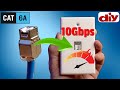
This is "How to Install a Cat6a Keystone Wall Jack that provides up to 10 Gbps!" Remember you will need 10Gbps compatible ...

Cat 8 or Fiber for your Home or Business Network? Best Deals On Cat 8 and Fiber Cables: Cat 8 Ethernet Cable 50 ft,1.5ft 6ft 10ft ...

There are 3 Categories of Home Networks. The Basic Home Network, the Intermediate Home Network and the Advanced Home ...

Welcome back to The Ultimate Tech Hub. On today\'s episode we will show you how to fix many router problems with one simple ...

Wi-Fi 7 EXPOSED: Thinking about upgrading to Wi-Fi 7? Before you buy a Wi-Fi 7 router, you need to know the 3 Big Problems ...

A hot cup of coffee is a Fantastic Way to Help Support our Channel!☕https://www.buymeacoffee.com/ultimatetechhub Or You Can ...