
Fiber optic internet provides faster and more reliable connections, but many wonder where the fiber cable actually goes once installed. This guide explains the entire fiber installation process, from your home to the underground network infrastructure.
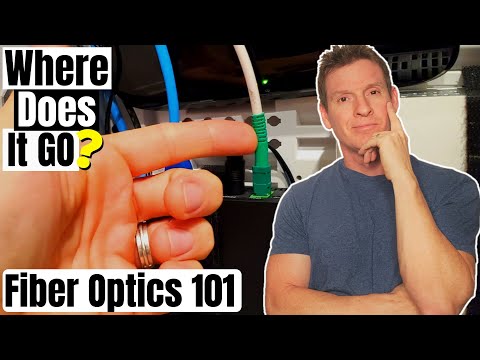
When fiber optic internet is installed in a home, the fiber line follows a specific path:
From the junction box, the fiber optic cable continues its journey:
There are two main techniques for burying fiber optic cables:
| Method | Description |
|---|---|
| Direct Burial | Fiber cables are buried directly in the ground, requiring more effort to upgrade in the future. |
| Underground Duct | Fiber is placed inside conduits, allowing for easy expansion by adding more lines when needed. |
To bring fiber optic internet to older or densely populated areas, service providers use micro trenching:
Yes! One of the advantages of fiber optic technology is that it can be installed alongside existing electrical cables in the same conduit. This simplifies deployment in urban environments, making fiber expansion faster and more efficient.
Fiber optic internet is rapidly expanding thanks to advanced installation techniques like underground ducts and micro trenching. If your neighborhood doesn’t have fiber yet, chances are it will soon. Keep an eye out for infrastructure upgrades, as service providers continue to expand fiber availability across cities and rural areas.
hi guys welcome back on today's video we're going to answer an important question where does the fiber go you'll find out next on the ultimate tech hub [Music] so guys we've done a bunch of videos on fiber optics like fiber installation and comparing it to the speeds and costs of coax cable how fiber works in fiber versus copper so once you finish watching this video make sure to check out those videos so back to our original question where does the fiber go so guys if you have fiber installed in your house you'll most likely have a fiber line going to your network box but if you don't have a network box in your house then that fiber line will probably go into a bedroom and this is where your modem and router will be located so where does that fiber line go when it goes into the wall well a typical home installation the fiber cable will run inside the wall into the attic from the attic the fiber cable will run down a wall that goes to your junction box outside this junction box will be labeled telecommunication and inside this box will be coax cables probably network cables like cat5e or cat6 it may be phone line cables basically all telecommunication cables so your fiber cable that's in the junction box or telecommunication box will now run underground in a tube that goes to the street and this is where the fiber ends up along with the coax cable so once the fiber is in the street where does it go this fiber cable is buried under the street at a minimum depth of 30 inches this is to prevent freezing there's a couple ways you can bury fiber optic cables there's a direct burial and underground duct underground ducts are preferred because these underground ducts allow for expansion you can simply add more fiber lines when needed many companies use a technique called micro trenching this process involves installing small conduits within the edges of the sidewalk to house the fiber optic cabling this technique is less evasive and causes less damage or disruption of existing infrastructure and what's great about this technique is it can bring fiber optics to older areas especially areas like crowded cities with heavy infrastructure what's great about fiber optics is you can run fiber and electrical cable in the same conduit which makes adding fiber to crowded cities even easier you simply add the fiber lines to the existing electrical cable lines through the conduit so if your area does not have fiber there's a great chance it'll be there soon because of these techniques so now that we answer the question where is the fiber go make sure to watch our other videos on fiber optics and guys don't forget to visit my patreon page where two dollars a month helps keep this channel going and for every new member i do a personal shout out on the very next video so guys i want to thank you so much for watching and remember if you like these videos give a thumbs up and share it if you love it hit subscribe to keep this channel alive and thank you so much for watching i really appreciate it

On this episode we show you " How To Install Any Samsung SSD " and " How To Use The Data Migration Software For Cloning.

On today\'s episode we are installing a 16.4 ft. Govee LED Light Strip behind our YouTube Studio Desk. We are replacing an OLD ...
On this episode of Ultimate Tech Hub we will install a screw-less face plate from Lutron. We will also show you where to buy them ...

Hi everyone welcome back to the Ultimate Tech Hub. On this episode we will show you how to install the Reolink Client software ...

In this episode I will organize my Home Residential Network Box which has become a mess over the last 10 years. Excess coaxial ...
On this episode of The Ultimate Tech Hub, we will show you how to terminate a coax cable and install it into a new coax wall plate.