
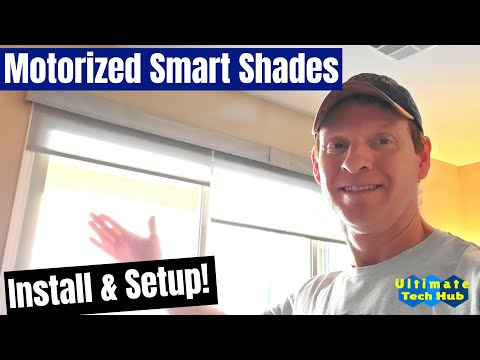
In this guide, we walk you through installing and setting up motorized smart shades from Alta Blinds. This includes configuring the Somfy remote, using the MyLink mobile app, creating schedules and favorite scenes, and adding Alexa voice control. The installation was done in a new home featuring a three-panel sliding glass door with two Somfy-powered motors controlling the shades. Here’s how it all came together.
The remote has five channels, each capable of controlling individual or grouped shades:
Now pressing “My” will return your shades to that favorite position any time.
Within the app, you can schedule scenes to activate at specific times. For example:
Alexa, lower both shades or include them in routines.This setup gives you complete control of your window coverings using a remote, your smartphone, and voice assistants. It’s flexible, energy-efficient, and easy to use once installed.
Hi everyone, this is Michael from Ultimate Tech Hub. In today’s episode of Home Automation, we're taking a look at motorized smart shades from Alta Blinds. We’ll walk through the installation, setup of the Somfy remote and app, and wrap up with Alexa voice control integration.
When we moved into our new home, everything had blinds—except for one large three-panel sliding door. We didn’t want bulky drapes and preferred something sleek and convenient, so we went with motorized smart blinds.
We contacted Jeff Wilcox from Blackjack Blinds, who helped us choose the color and fabric density. We opted for a medium density that allows light in while blocking direct sunlight.
To cover three panels, we could’ve used three motors—but for cost savings, we used two. One motor controls a single panel, and the other covers the remaining two panels. This saved us $250, since each motor costs about $250.
We also chose battery-powered motors to avoid electrician costs. This setup uses 24 AA batteries—eight in one motor and sixteen in the other. The battery life is about one year, and you can get 48 AA batteries for $20 at Sam’s Club or Costco—roughly $10/year to operate both motors.
The Somfy remote has up/down buttons, a "My" button for favorite positions, and five channels (each LED light indicates a channel). To set a favorite position, move the shades where you want them, select channel five (all LEDs lit), and hold the “My” button until the shades jog up and down.
We then set up the Somfy MyLink app by installing the RTS module near the blinds. A paperclip was used to activate the setup mode. In the app, we named each shade and created scenes such as "Close Both Shades." You can also create schedules like opening the shades at 8 a.m. daily.
For voice control, we linked Somfy MyLink with Alexa using the Alexa app. After enabling the skill and connecting accounts, we could control the blinds by saying things like “Alexa, lower both shades.”
That’s the full setup! We hope this helps you with your home automation journey. If you enjoyed the video, give it a thumbs up and share it. And if you love our content, hit that subscribe button—it’s free. Thanks for watching!

Welcome back to The Ultimate Tech Hub. On today\'s episode we will connect a Cat6 ethernet cable to a Cat6 Wall Jack and we ...

We Tested what could be the most Comfortable Home Theater Chair in 2025. Watch to find out! Weilianda Black Friday event, ...

Welcome back to Ultimate Tech Hub, on this episode we will un-box and setup the TerraFlame Wave Fire Bowl. The TerraFlame ...
Hi everyone and welcome back to Ultimate Tech Hub. Today we will show you how to seal granite countertops just like the ...

This is our Ultimate Soundbar Review of the DYPLAY 20" 2.0 Soundbar. If you have any questions about this video please leave ...

Hi everyone welcome to another tech review from the Ultimate Tech Hub. Today we are asking the question what is the best ...