
Whether you're working on data installations, low-voltage wiring, or Ethernet cabling, having the right tools makes all the difference. In this guide, Mike from Ultimate Tech Hub shows exactly what’s inside his personal network toolbox—perfect for both professionals and DIYers looking to build or upgrade their toolkit.

All of these tools and accessories help ensure you're always prepared on-site. Whether installing a new network, troubleshooting lines, or terminating cables, this toolbox setup covers everything you need.
Hi guys, I'm Mike and welcome back to Ultimate Tech Hub. In today’s episode, I’ll show you what you should have in your network toolbox.
This is my personal network toolbox, and it's what I use for data and cable installations, low-voltage wiring, and even basic electrical work.
Most important tool: A reliable cable tester. I use the BDV Scout Pro 2. There’s a video linked on our channel with the full review and unboxing.
Other essential tools include:
I also carry a coax cable termination kit, RJ45 EZ connectors, connector boots, cable clips, various coax connectors, and wall box plungers (with a video guide available).
In terms of hand tools, I carry a multi-bit screwdriver, voltage tester, wire snippers, pliers, a small measuring tape, wire stripper, and scissors.
Inside the left compartment of the toolbox:
On the right side:
Underneath the toolbox is another compartment with tools and backup supplies that I don’t use often but are good to have on hand:
That’s everything you should have in your network cable box. If you like these videos, give them a thumbs up and share them. If you love them, hit subscribe—it’s free. Thanks again for watching!

Welcome back to The Ultimate Tech Hub. On today\'s episode we will show you how to fix many router problems with one simple ...
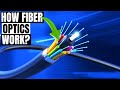
On today\'s episode we will explain How Fiber Optic cabling transmits data and what Fiber Optic cabling is made of. If you have ...

Do You Want Faster Wi-Fi? 5 Easy Tips! Todays Best Holiday Deals!: ASUS RT-AX1800S Dual Band Wi-Fi 6 ...

A hot cup of coffee is a Fantastic Way to Help Support our Channel!☕https://www.buymeacoffee.com/ultimatetechhub Or You Can ...

Easy Static IP address assignment for your laptop! Bam! ASUS Zenbook - https://amzn.to/44rHiaC ASUS ZenBook 14 Pro OLED ...

Welcome back to Ultimate Tech Hub. On this episode of Ultimate Un-Boxing we will take a look at the Legrand ON-Q Universal ...