
Choosing the right power supply is essential for building or upgrading a PC. Learn how to calculate the total power consumption of your PC components, determine the right PSU wattage, and ensure future-proofing for upgrades.

Understanding how much power your PC needs prevents unnecessary spending on an overpowered PSU and ensures your system runs efficiently. A properly sized power supply improves system stability and longevity.
| Component | Power Consumption (W) |
|---|---|
| Hard Drive (HDD) | 5-10W |
| Solid-State Drive (SSD) | 4-8W |
| Motherboard | 40-50W |
| RAM (per 8GB) | 3W |
| CPU | 55-95W (varies by model) |
| GPU (RTX 2060 Super Example) | 180W |
| Optical Drive | 20-25W |
| Case Fans | 1-6W per fan |
| Liquid Cooling System | 10W |
| Keyboard & Mouse | 3W |
Calculating your PC's power needs ensures efficient performance and prevents overspending. Choose a PSU that meets your current needs while allowing room for future upgrades. Always buy from reputable brands and check reviews before purchasing.
When building or upgrading a PC, an essential question arises: how much power does your system need? Understanding power consumption helps you choose the right PSU and avoid unnecessary expenses.
Let's break down power consumption by component:
To calculate your PSU wattage, total all the power consumption values and add 100-150W for future upgrades. For example, if your PC's total power draw is 485W, a 600-650W PSU is ideal.
Important factors to consider:
A good power supply ensures your PC runs efficiently and lasts longer. Always invest in a high-quality PSU to avoid system failures and ensure stable performance.

This is the ACEMAGIC AM20, the World\'s Smallest Wireless Charging Mini PC that weighs less than a Pound! The ACEMAGIC ...

This is the most unique wine cork idea you\'ve ever seen! Amaze your Family & Friends with this incredible wine cork project!
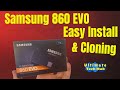
This is the Samsung 860 EVO 1 TB SSD. Watch me replace my old Samsung 840 250 gb SSD and clone it to the new SSD.

Sony\'s Back! Sony\'s new noise cancelling gaming headphones, the Sony Inzone H9 II are long-awaited and awesome but there a ...

Welcome back to The Ultimate Tech Hub. On today\'s episode, we just got our PlayStation 5 back from PlayStation repair service.

How To Boost Your PS5 Performance Instantly! You can get better performance on PS5 easily if you just do these 6 things now!