
Keeping your home network organized can save you time and frustration when troubleshooting issues. The best way to manage your Ethernet cables is by labeling them. In this guide, we’ll show you a quick, affordable way to label your cables for less than $2.

| Benefit | Description |
|---|---|
| Easy Troubleshooting | Quickly identify cables when diagnosing network issues. |
| Better Organization | Maintain a neat and structured home network setup. |
| Faster Upgrades | Identify cables when upgrading or replacing network equipment. |
Labeling your Ethernet cables is a simple yet effective way to keep your network organized. It saves time, reduces confusion, and makes troubleshooting much easier. With just a few materials and less than $2, you can create professional-looking labels for all your cables.
Keeping your home network organized is essential, and one of the easiest ways to do this is by labeling your Ethernet cables. In this guide, we’ll show you how to do it quickly and affordably.
First, open a word processor like Microsoft Word. Type out all the cable locations you need to label, making sure to double-space them. Use a small font size (10-12), bold the text, and choose a font that is easy to read. Once done, print the labels and cut them out.
Before attaching the labels, do a quick spell-check to ensure accuracy. Trim the labels to remove excess paper, keeping them as small as possible to fit neatly around the cables.
Now, use clear tape to attach the labels to the Ethernet cables. Wrap the label securely around the cable, ensuring it faces forward for easy reading. If needed, trim any excess paper before securing it with tape.
If you're unsure where a particular cable goes, a network cable tester can help identify connections. Alternatively, unplug the cable and check which device loses internet access.
Start labeling from the router, modem, switch, and cloud connections. Continue labeling all cables in your network, ensuring each label is clear and readable.
Why label your Ethernet cables? First, it keeps your network organized and easy to manage. Second, it simplifies troubleshooting, helping you quickly identify issues. Lastly, it makes upgrading or changing your setup much more efficient.
This entire process costs less than $2 and takes only a few minutes. It’s a simple yet effective way to enhance your home network organization.
Thanks for watching! Don't forget to like, share, and subscribe for more tech tips.

On today\'s episode of the Ultimate Tech Hub we are going to show you where the ethernet jack goes to in your house. We have ...

How to wire up Cat6a UTP the easiest and best way! This is a detailed "How-To" video on Cat6a Unshielded Twisted Pair ...
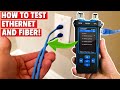
In this video we will show you, " How to Test Ethernet and Fiber Cables! " In order to test ethernet and fiber cables, you need a ...

On today\'s episode of Basic Home Network 2022, we discuss 3 things a wireless router can\'t do! Wireless Routers can do many ...

If you want to install Cat6a in your Home Network, then you need to learn these 2 installations first! Cat6a Cable Termination ...

Welcome back to Home Networking For Beginners!! On today\'s episode we will show you "How To Install Low Voltage Wires" in ...