
Setting up a home network involves more than just plugging in a router. Proper cable management and structured wiring ensure optimal performance, efficiency, and reliability.

Keeping network cables neat prevents interference and ensures easy maintenance. Follow these steps:
If you're working with outdated networking hardware, consider upgrades:
| Old Equipment | Upgrade Recommendation |
|---|---|
| Cat 5 Ethernet Cables | Upgrade to Cat 6 or Cat 6a for better speed & reliability |
| 2-Port Network Panel | Replace with an 8-port or 16-port structured wiring panel |
| Wi-Fi 5 Router | Upgrade to a Wi-Fi 6 or Wi-Fi 6E router for better wireless speeds |
| Standard Power Outlets | Add a power strip or surge protector for additional device support |
Many homeowners overlook network panel ventilation, which can lead to overheating. Here are a few tips:
Once the network panel is organized, test your connections:
Home networking is essential for modern homes, and proper cable management can greatly improve performance. Whether you're upgrading cables, expanding LAN ports, or improving ventilation, these steps will help ensure a seamless network setup.
what's up guys and gals welcome back to the channel so in today's video I'm going to take you back in time to February 10th 2019 on that date I uploaded my very first networking video so today you get to watch my very first home networking video and to be honest I haven't seen this video in years so this video should be pretty funny and make sure to roast me in the comments I can take it so let's start the video hi I'm Michael and on today's episode we're going to turn a networking disaster into this oh that's hilarious all right this whole network box is a complete disaster we got a lot of work ahead of us let's go these cables should be way up at least 78 all 12x 12 if not more 12 I think I recorded that with s Samsung S S5 I believe got I've got a cloud also recorded this with a Canon Power Shot camera 2017 it's an old camera you can see the footage is not very it's not very sharp or Chris not 4K that's for sure that woo believe it or not this panel is in a two-story home pull five bedrooms four bathrooms a game room a living room dining room family room there are seven cat 5S I'll be doing this um I'm plugging the back in right away just so we have connectivity through through out the house while I'm doing this project I don't want any Angry Kids yelling at me almost 4,000 ft so as you can see and that panel is Tiny Cat 5 do have labels on them they're kind of hard to read from this viewpoint but there's like bedroom one kitchen multimedia um I would probably relabel these wires if I was going to stay in this house but we are moving so my only concern is making sure this looks good and has connectivity [Music] and we're done I tried to make it look professional but uh okay we're going to it's my first video this amplifier is what it is but it's hilarious I had an issue with strength in my house and the cable company put this amplifier on and the issue ends up being outside by the curb and believe it or not that mess was there for about 10 years before I decid to uh clean it all up just for purposes of showing how to do this so extremely lazy does have a power supply so that's what thing have to plug in there you go you can see the bracket came off nicely and now it's way easier to use we can definitely maneuver things around now that's what we wanted to do here so the bracket was kind of a hindrance rocking the U2 shirt concert shirt there yeah so I pulled the bracket out and we have a lot more room to move with uh the wires fell down even more they were kind of higher right here I'm pretty sure I could have made this video quite a bit shorter slack with some better uh editing more Cuts original plan was to cut these and just redo them ret terminate them and put them back in my thought is no I'm not going to do that I'm going to change my plan and push everything back up but once again this my first it's pretty awful yeah looks like up there pretty good um we'll see though how far I can get it up there so what I'm going have to do is unhook some of these wires to make it a little bit more manageable okay before we start with the coax hole let's go ahead and organize these wires c yeah I think this house had about what five or six coax lines probably or seven of the C keep it out of the way so we're not getting in the way of now this house was built in 2007 so Cat 5 was still the standard back then now homes have cat 6 or like our home now has cat 6 a put it on to get it off and then you're risking cutting your too so I try to avoid that okay and the company that set up this whole panel with a wiring did a pretty bad job the labeling was terrible it would see like bedroom one but I'm not sure what bedroom one was we didn't know where bedroom one was downstairs or upstairs which room was bedroom one this it didn't have any kind of like schematic them so it was kind of funny how they they set this up it wasn't very uh wasn't very professional do that especially when leaving it like that if you're going to leave it looking terrible like that that was just kind of I got to say half ass so um yeah let me get my trusty can of air compressor spray here and we're going to spray this and get this all all nice and pretty and I would have thought they would have put a massive panel in this home for lots of equipment and they just did it's pretty dirty and this panel is in a back room upstairs looks better it's not Central at all so if you're going to put a router in there which I did that Wi-Fi signal didn't get very far it didn't get downstairs that's for sure toet like a d so pretty poor construction of the home along with the uh panel it was just really bad vacu as well but we'll uh let's rpe this down and I have to say I love our new home everything's done way better um with the larger panel look shiny and pretty yeah this was just this is funny Perfection looks great my attempt at cleaning it out really well you know not too bad a lot of dust over 10 11 years okay not sure why I had to show the vacuum for why am i showing the vacuuming I I don't know [Laughter] but I'm showing the vacuuming yeah okay enjoy my vacuuming it's pretty good Splendid wow hilarious part of this project the rest of it will come together and I'm sorry for the background music I know it's kind of annoying once again I was trying to figure this whole thing out with how to edit and make it look look and sound really good so sorry about the music on the co axle cable here we're going to do like I said move one to the middle and push both of them up so we'll have room for the modem and we'll have room for the cloud and we'll have room for the eight Port switch the router it's going to go probably on the wall um it's like all those devices are not going to get inside that panel there's no way right there so let's get started that panel is so tiny so we're going to unhook one coax at a time look how many coax that might be more than six through the right hole to the middle hole pull it back the six adap ridiculous and this will have us have one adapter come out one thing about coax is very it's hard to work with that's a coming out which is kind of clustered so I got the it looks like probably my Samsung S5 is laying down organiz that way really easy and takes up too much kind unique angle I give myself an A+ on that one take a little time the coax it do really show a whole lot just shows the whole going into the wall they are durable so they're pretty durable so take your time pulling through um if you have the same situation you may not but I certainly did this Builder got a nice shot on my arm there job of uh I should have had the camera pulling back a little bit more so you can see what I'm doing except for my stupid arm so I can really [Music] see and one more thing too with the Audio I didn't have a microphone or a la mic or uh anything so I use the microphone basically on the um the phone or the camera itself which is pretty bad pretty bad quality so you can hear it for sure it's poor quality definitely became easier as I got more wires through then it started coming through much easier for some reason the coaxil kind of follow the path of the other coaxil a little bit going through so it was much smoother after I got the first couple wires through I hand tighten these and I'll go back and I'll use a wrench and tighten so at this point right here I should have fast forwarded this I mean you don't need to see all this but it was you know I had no idea what I was doing a newbie and I'm still a newbie I'm a little better but not much yeah at this point I should have fast forward all that stuff here we go there's some fast forwarding see that should have been done that a you know I should have done that a long time ago be honest there so fast forward all that stuff and then there we go pluging stuff back in is the signal amplifier that I was talking about earlier that we're not going to have but I'm still hooking it all back up just for the sake of having everything hooked back up so I will run one thing about Cox cable that was really frustrating was we had to have a booster you can see booster right there pluged in boost the signal I don't know why maybe because the house is very large and the runs are really long on the Cox Cable runs really long in the in the walls but we weren't able to get signals sometimes so they had to send a booster or um so they had to have someone come out install a booster that would uh boost the signal basically so our cable boxes would get a signal so that was kind of frustrating also the fact we pay 240 bucks a month was frustrating and I think our megabytes up were down low was 150 and up was about 30 and we paid a lot of money for that for really slow speeds that's terrible I paid the same here at this house for a while till we switched over to Sentry Link fiber we pay $75 a month for one gig I'll never go back to uh Cox Cable again gosh that's a lot of coax that might be nine coax trying to figure that out either eight or nine coax cables okay so we're going to hook up these power Str and one thing as well with these small panels they had one power outlet the right so you can plug in two devices that's it so I had to add a power um adap surge protector whatever you want to call it for more power outlets so now we just plug back in the Cat 5 and uh put them in put him a nicely there make sure they click it all the way you'll see a green light the one thing here I noticed about this is I did not if I remember correctly I did not secure this to the panel it's just hanging by the the wires so I believe those five Ethernet or whatever it is maybe seven ethernet are holding that switch up basically which is a no no that's not you're not supposed to do that should have been secured to the panel with some zip ties or even some double side tape of some sort but once again I'm a Noob trying to figure this out and now we're done we're just going to push it up and there you go P push it up a little higher like that but I should have secured it right there to the panel with some some double side tape of some sort it shouldn't be hanging like that cuz you want that that pressure pulling on the RJ45 connectors that's what I did kind of hook pretty awful thing or whatever but it does work but it's looking better I can go back I definitely can go back and do some more um manage plug the power in there we go and I'm going remove that like I said Customs cat 6 line done and that is our okay let's do the test F Western Digital 2 TB Cloud you can see that bracket is kind of nice no that's the cloud right there the other one was the Cox modem cable modem so there we go I mean still looks pretty terrible though power cord that's plug those two devices in that doesn't look very good that's kind of half be honest now I'm just doing a little test fit and I'm going to try to get these wires a little bit more organ that's not going that doesn't look good will go eventually I don't remember did I switch that up or something that's nice and we'll plug in the cloud that goes to I had to switch this up there's no way I left it look in that janky light there that looks terrible go okay there's the bracket where I so I add the bracket at the bottom that's what I did to kind of hide those wires and and yep set that on top looking better okay that's better okay yeah not bad this is what it looks like now and now there's a panel door that goes on this it screws on with four four screws nice but I believe I did not attach that to the panel and for a couple reasons because it gets hot that panel will get extremely hot not it's like hard the in ventilation so yeah I just left it like that I believe everything was organized and secure yeah not bad router is on the shelf and there's that old router there now that's a Wi-Fi 5 router believe it or not it's old rou doesn't it so now that I'm finished organizing the network box there's a few challenges I have realized I want to share with you the first challenge is the lack of adequate power there's only one power outlet which is two devices to be plugged in that's not enough you're going to have to add a search protector power strip a power cord of some sort make sure it's small because that comes into the second problem the second problem with this box is it's small it's very tiny I I struggle to get all the devices in there that I could I couldn't get the router in there third problem I had here was lack of ventilation there no ventilation here at all whatever the holes you see in the back here are for brackets kind of in back then but there's a cover that goes on here I'm not going to put that on there's no ventilation for the cover I would risk overheating my devices so I'm not going to do that despite all these challenges I had a great time doing this it was a lot of fun I hope you enjoyed watching um if you did hit the like button for me hit subscribe share this video and leave comments down below good or bad I want to hear from you guys thank you for watching and I'll see you again soon see one take one that's some funny stuff right there guys well thanks for watching my old video guys I really appreciate it um I hope I'm getting better now hopefully but uh feel free to roast me I can take it um that's pretty bad that was kind of funny but also pretty bad editing and the music sorry about the music and all that but um anyways guys make sure to like share subscribe and comment and for god sakes hit the Bell icon and I'll see you in the next video real soon high five peace

The Best Way To Get The Fastest & Most Consistent Internet Speeds is to Purchase the Highest-Quality Ethernet Cables.
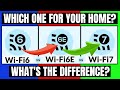
If you are a Home Networking Enthusiast who wants to learn the differences between Wi-Fi 6, Wi-Fi 6E, and Wi-Fi 7 then you are ...

How to Install Cat8 Plug and Cat8 Keystone Jacks. This is the easiest way to install cat 8 into your Home or Business Network.
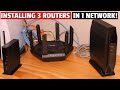
This video shows you How to Connect 3 Wi-Fi Routers in 1 Home Network! We used 3 different router brands to show each of the ...

On this episode of Home Networking Basics we will show you Home Wireless Networking Fundamentals and Home Wireless ...

Wireless access points (WAPs) provide a convenient method of connecting people to the internet. A WAP allows for multiple ...