
Have you ever wondered what the USB port on the back of your router is for? Many modern routers come equipped with a USB port, but most people don't take advantage of its powerful capabilities. Below, we explore the **top 5 practical uses** for your router’s USB port.
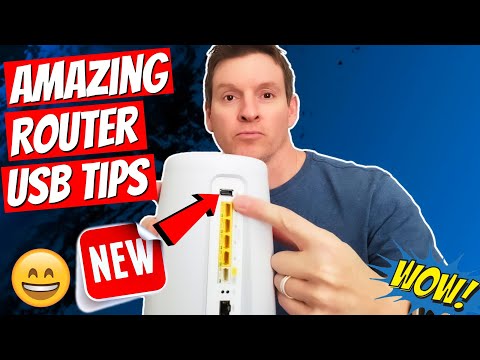
By connecting an **external hard drive** to your router's USB port, you can create a **NAS (Network-Attached Storage)** system. This allows you to:
Some routers have built-in **media server functionality**, allowing you to stream content to devices like:
If your router lacks this feature, you can install **Plex Media Server** on your external hard drive to enable media sharing.
If your router is in a **convenient location**, its USB port can be used to charge small devices such as:
Note: **Router USB ports provide low-power output**, so they cannot charge high-power devices effectively.
Set up **automatic backups** for your computers by:
This ensures your data is protected in case of system failures.
While many routers update automatically, some require **manual firmware updates**. To update your router:
In addition to the top 5 uses, here are a couple of **less common** but still useful functions:
The **USB port on your router** can do more than you might think! Whether you use it for **file sharing, streaming, backups, or firmware updates**, this simple feature can add significant functionality to your home network.
hi guys and welcome back on today's episode we're going to talk about the usb port on your router i'm mike and this is the ultimate tech hub so guys if you have a router in your house you may have seen a usb port on the back of that router and you're probably asking yourself what the heck is this for well today i'm going to tell you exactly what that usb is for so these are my top five uses for that usb port on your router while there are many uses for the usb port on your router today's list is the most common and relevant utilization of the router usb port in 2021 and beyond coming in at number one network attached storage or nas by plugging in an external hard drive to the usb port on the router this allows that hard drive to be shareable and readable by the people on your network and this is very convenient and efficient it makes sharing documents and pictures very simple and of course you can add security levels to the readable and writeable on that drive next coming in at number two a media server and some router software will actually turn the nas into a media server so this means when you upload photos music and movies will be accessible to all your devices like smart tvs computers tablets laptops or phones so all you have to do is plug your external hard drive into the back of your router via the usb port and then go into your router software and configure the external storage if your router does not have the ability to turn your nas into a media server you can install the plex media server on the external hard drive and plex is my favorite media server okay coming in at number three you can use that usb on the back of your router for low power charging this means if your router is in your office bedroom or living room you can charge your phone or your tablet or any device that can be charged with the usb and remember this is low power charging so this will not power high-end devices that require large power inputs but charging a phone or tablet or smart watches should be okay okay coming in at number four backing up your computers via the usb port on your router once again you'll need to plug in an external hard drive into that usb port on the back of the router then go to your computer and set up the software to be able to automatically backup everything on your computer to the external hard drive and what's nice is you can set a schedule so once a day it'll back up and coming in at number five installing router firmware updates most routers can automatically install their firmware updates by themselves however if your router does not install automatically you can get that firmware update from the router website and download to a flash drive then plug into the back of the router and update your firmware on your own so guys this is my top five uses for your router usb port there are many other uses but these five are the most common and relevant going into 2021 and beyond for instance you could plug your printer into the usb port and then share that printer via the router through your network however most printers are wireless now so this is not very practical and you could plug a cellular 4g modem into the usb port and then use it to connect to the internet which is good in case your internet goes down to your provider but not all routers can do this so it's kind of a hit or miss like i said before the top five are very relevant and very common well guys we're all done here and once again i want you to visit our patreon page where two dollars a month helps keep this channel going and for every member that joins i'll give a shout out on the next video and once again i want to thank you guys for watching and remember if you like these videos give a thumbs up and share it if you love them hit subscribe to keep this channel alive thanks again for watching you

Welcome back to The Ultimate Tech Hub. On today\'s episode we will unbox, test & review this USB 3.0 Extension Cord from ...

On this episode of Ultimate Tech Hub we will install the Leviton USB In-Wall Charger. After installing the USB wall outlet I realized ...

These are our TOP 5 TRAVEL ROUTERS in 2025! Holiday Deals - PRICES ARE LOWER NOW!!! GL.iNet GL-SFT1200 (Opal) ...

This Real-World Speed Test is between the TP-Link Archer BE550 Wi-Fi 7 Router & The ASUS RT-AXE7800 Wi-Fi 6e Router!

These are our TOP 5 Wi-Fi 6e Mesh Routers in 2025! Product links are listed below. Please subscribe and ring the Bell ...
I\'ll fully explain why you need a Travel Router and probably two of them since these devices are so cheap. Our Top Recommend ...