
A travel router is an essential device for frequent travelers, providing secure, fast, and cost-effective internet. Whether you're staying at a hotel, boarding a cruise, or passing through an airport, this compact device ensures a reliable and protected connection for all your devices.

A travel router is a portable device designed to create a secure and private Wi-Fi network by connecting to public or shared networks. It is perfect for improving Wi-Fi performance in hotels, cruise ships, airports, and cafes. Travel routers also offer advanced features such as:
A travel router is a must-have device for travelers who value secure, reliable, and cost-effective Wi-Fi connections. With its portability and advanced features, it ensures a smooth and connected experience, no matter where you are.
the number one item that you need to pack when traveling is this little device right here and I wish you knew about this years ago so today I'm going to fully explain what this is how to set it up how to use it and how to fully optimize it for all your travel needs I'm Michael Scott this is the ultimate techup going to be awesome there is nothing more enjoyable than taking family vacations especially with all of your wonderful in-laws for instance traveling across the country or overseas or on cruise ships or hotels and while we're traveling it's very important to stay connected to the internet however staying connected to the internet can be complicated which also includes some serious security risks and it can be very expensive however there is a perfect solution for this traveling internet conundrum and we're talking about a travel router this is the opal G l inet a pocket size router that's great for traveling anywhere in the world and there's a plethora of these routers on the market and the reason we chose this one was a price it's $34.99 and for that price it has all the features that we need three land ports and one USB port let's open the box and see what's inside this is the opal GL sft 1200 a pocket size travel router with a plethora of security features and this pocket router includes open WRR T 3 gbit ports dualband Wi-Fi it also includes a VPN IPv6 and tour so what comes with the GL sft 1200 well first you get a warranty card a detailed user manual that shows the entire setup process which is very simple and straightforward and obviously you get the pocket router and this pocket router is well ventilated and includes two adjustable antennas as far as the connections go you get one W port and two lamp ports you also get a USB 2.0 and a type-c power connection and the side of the router also has a toggle button for the modes and a reset button so what else comes in the Box you get the type-c power cord which includes the US standard outlet it would have been nice if they include the UK Outlet as well as the European Outlet however I already have those for traveling so it's no big deal it also includes a flat style Ethernet cable so this is everything you get for $34.99 and it looks to be a pretty good deal so first off what exactly is a travel router a travel router is a portable pocket size device that allows you to create a secure safe and stable Wi-Fi network wherever you are a travel router can make your trip smoother safer cheaper and more connected even for your wonderful in-laws the travel router can be connected to a hotel airport casino cruise ship or cafe Wi-Fi one of the biggest benefits of a travel router is that it can improve your Wi-Fi performance we've all been there in a hotel or cruise ship when the Wi-Fi signal is weak and slow especially when multiple people are on it a travel router can help by taking that weak signal and boosting it giving you a more stable and faster connection across all your devices and cruise ships are notoriously slow and expensive this is because you'll have to pay for each device that's connected to the ship's Wi-Fi so for instance four people share a cabin then all four people have to pay for four separate Wi-Fi plans which is very expensive but using a travel router all you need is one Wi-Fi plan to cover the entire cabin and if you have an adjoining cabin with your wonderful in-laws then they could connect to the travel router at no additional cost saving hundreds of dollars on crappy cruise ship Wi-Fi but it does get better because the crappy cruise ship Wi-Fi is now improved when using the travel router now let's talk about security public Wi-Fi networks like those in hotels cafes casinos cruise ships or airports can be a serious security risk however when you connect through a travel router it acts as a firewall between your devices and the public network this adds a layer of encryption and protection making it harder for hackers to access your data so you can feel safer checking emails banking or doing anything online that requires sensitive information you can also use a VPN on your travel router which allows you to access Regional limited shows and programs which means this travel router is ideal for watching Netflix another great feature about the travel router is that it can help get around device limits set by hotels and cruise ships and we know sometimes there's a limit to how many devices you can connect however with a travel router you only connect the router to the Wi-Fi once and then you can share your connection with all the devices and best of all no more device limits and no more captive portal it's like your hotel or cabin is your home's Wi-Fi you walk in and it automatically connects to the travel router and as a bonus these travel routers also have lamp ports to connect devices with the internet and like this travel router some models have USB ports where you can plug in a thumb drive or external hard drive to share movies music or documents with your devic's Wi-Fi so if you're on a long flight or road trip you can access your media without relying on internet access and some travel routers have the ability to use a SIM card or connect to a mobile hotspot this is perfect if you're in an area without reliable public Wi-Fi pop in a sim card with a data plan and boom you've got your own private internet connection anywhere in the world and lastly travel routers are Compact and lightweight they fit easily in your bag purse backpack luggage and many even come with handy travel cases this makes them super convenient to carry on any trip and I recommend having two travel routers one that you can keep in your car and the other one you can keep in your luggage this way when you're traveling you'll always have it and travel routers are cheap small secure fast and easy to set up which means there's no reason not to have one or two now let's talk about how to set up use and optimize your travel router no matter which travel router you purchase the setup is always the same first plug in the power to the travel router then look on the bottom of the travel router here is where you'll see all the information like the IP address the MAC address the SS ID name and the password next on your mobile device connect to the travel router simply find the SSID and connect and put in the password and you're good to go next we have to set up the router so open a browser and type in the IP address of the router you'll now be at the user interface so first choose your language English and then next change the admin password and from here you can see the user interface and you can see here we have a few different options we have ethernet repeater tethering and cellular and for this video we're going to use the repeater option because it's the most popular option when traveling especially in hotels and on cruise ships so go to the repeater option and then connect to the local Wi-Fi and if you're at a hotel or on a cruise ship you'll be moved to a different web page which is the captive portal and from here you'll put in your room number or cabin number and then connect and then once you're connected you now have a permanent router in your room just make sure the router is never unplugged and then now you can connect all the devices to the router and this router can connect up to 52 devices and there's one more option I want to show you which is the VPN and you can see they have Nord VPN as the default bpn and you can see that we have the 2.4 and the 5 GHz band so when we go to the wireless settings make sure to enable the 20 MHz band this band is much faster matter of fact when I enabled this this tripled our speed both upload and download and one more thing to consider if you're going to be streaming movies or TV shows use the 5 GHz band it's faster however if you're further away from the router then go ahead and use a 2.4 GHz it's better at long range so guys and galss if you travel a lot or go on business trips then this pocket size router is a must and we're going to have links down below to our favorite pocket size routers including this one and guys and gals do not travel without one of these it's a must and if you're looking for a home mesh wi-fi system check out this video right here or if you're looking for a badass gaming router check out this video right here and I'll see you guys and GS in the next video real soon high five peace

Struggling with Wi-Fi in a Big Home or Multi-level Home? In this review, I put the TP-Link Deco BE67 Wi-Fi 7 Mesh System to the ...
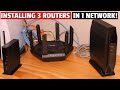
This video shows you How to Connect 3 Wi-Fi Routers in 1 Home Network! We used 3 different router brands to show each of the ...

A hot cup of coffee is a Fantastic Way to Help Support our Channel!☕https://www.buymeacoffee.com/ultimatetechhub Or You Can ...

In this activity, you will perform basic router configurations. You will secure access to the CLI and console port using encrypted ...

In this episode I will organize my Home Residential Network Box which has become a mess over the last 10 years. Excess coaxial ...

Wi-Fi 8 is Coming Soon! But It\'s Not About Speed! Here is EVERYTHING we know about Wi-Fi 8 and Wi-Fi 8 Technology! Wi-Fi 8 ...