
The GL.iNet Slate 7 travel router is here—and it's ready to shake up the portable Wi-Fi market with its Wi-Fi 7 capabilities. In this hands-on review, we cover everything from unboxing to full setup, VPN support, repeater mode, speed tests, and more. Is this $140 router the best travel companion for remote workers, digital nomads, or tech-savvy vacationers? Let’s dive in and find out.
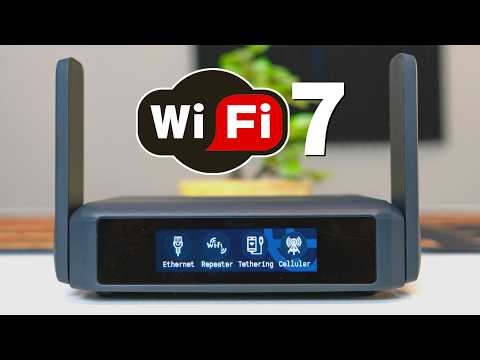
The Slate 7 is a dual-band Wi-Fi 7 travel router featuring MLO (Multi-Link Operation) that combines 2.4 GHz and 5 GHz bands. It lacks a 6 GHz band, but still delivers Wi-Fi 7 speeds through channel aggregation.
What’s in the Box:
Hardware Highlights:
Software & Features:
Setup Process:
Wi-Fi Modes:
Speed Test Results:
| Mode | Download (Mbps) | Upload (Mbps) |
|---|---|---|
| MLO Band | 681 | 761 |
| 5 GHz Band | 601 | 690 |
Final Verdict: For $140, the GL.iNet Slate 7 offers unbeatable value. Its blazing fast Wi-Fi 7 performance, touchscreen control, VPN capabilities, and travel-ready design make it one of the best portable routers available. While you won’t hit full gigabit speeds in public hotspots, the Slate 7 ensures you get the best performance possible wherever you connect.
This is the newest travel router from GL.iNet—the Slate 7. The “7” stands for Wi-Fi 7, and yes, it supports that standard. It's a dual-band router using MLO technology to combine 2.4 GHz and 5 GHz bands for higher speeds. There’s no 6 GHz band, but it compensates with advanced features.
The box includes the Slate 7 router, a flat Ethernet cable, USB Type-C power cable, a US power brick, and international plug adapters. The device has a solid build, two adjustable antennas, and dual 2.5 Gbps Ethernet ports (WAN/LAN configurable). There’s also a USB 3.0 port and a touchscreen LCD—something rarely seen in travel routers.
Setup is simple: connect the power, download the GL.iNet app, and follow the setup wizard. You’ll set an admin password and connect to the internet via Ethernet, repeater mode, tethering, or cellular. Repeater mode is especially useful for hotel or cruise ship Wi-Fi.
Advanced users can configure dual-WAN, adjust protocols (DHCP/IPv4), manage ports, enable MLO, and set Wi-Fi passwords. VPN setup is easy—just input your username and password. Supported VPNs include PIA, NordVPN, Surfshark, and many more. You can also enable AdGuard for content filtering and use parental controls.
Speed tests show excellent results. Using MLO, the router achieved 681 Mbps download and 761 Mbps upload. On 5 GHz, it reached 601 Mbps download and 690 Mbps upload. While public Wi-Fi rarely offers such speeds, the Slate 7 ensures you get the most out of what’s available.
At around $140, the GL.iNet Slate 7 is packed with features: VPN, AdGuard, touchscreen control, USB file sharing, and Wi-Fi 7 performance. It’s an excellent value for travelers seeking speed, security, and convenience.

A hot cup of coffee is a Fantastic Way to Help Support our Channel!☕https://www.buymeacoffee.com/ultimatetechhub Or You Can ...

This is How To Build A Home Network with pfSense and as a Bonus we will install a VPN on the router! Private Internet Access ...

If you\'ve ever watched those videos titled, "How to get faster Internet Speeds when you change 1 simple setting!" then this video ...

Wi-Fi 8 is Coming Soon! But It\'s Not About Speed! Here is EVERYTHING we know about Wi-Fi 8 and Wi-Fi 8 Technology! Wi-Fi 8 ...

On today\'s episode we guide you through 5 Important wireless router specifications. Knowing these 5 important router ...

Welcome back to The Ultimate Tech Hub. On today\'s episode we show you how to install RGB Smart Lights to a Residential ...