
GPU sag is a common issue that can damage both your graphics card and motherboard over time. In this guide, we’ll show you how to fix GPU sag using the Lian Li GB001 support bracket—a stealthy solution that keeps your setup looking clean.

GPU sag isn’t just an aesthetic issue—it can cause long-term damage to your graphics card and the PCIe slot on your motherboard. The weight of high-end GPUs can create stress points, leading to potential electrical issues or physical damage.
If you’re looking for a clean, effective way to fix GPU sag without bulky external supports, the Lian Li GB001 is a great option. It’s easy to install, provides strong support, and keeps your rig looking sleek.
For more PC building tips and hardware reviews, check out the related videos and don’t forget to subscribe to our YouTube channel!
a sagging GPU isn't pretty and to make matters worse over time the tension and pressure on the pcie connection on the motherboard can become damaged or even worse your $1,000 GPU can become damaged or ruined either way you're got some serious cash and fortunately we found a pretty interesting solution what intrigued me about this solution is once it's installed it's almost invisible you might say it's a stealth fix unlike the brackets that go in the front of the GPU to hold it up or the brackets that go under the GPU that look like an ugly jack stand and in my opinion they both look terrible now the fix that I'm going to show you cost around $25 and of course I'll have all the links in the description below and no I'm not sponsored by this company so this is the gb001 from Le and Lee and the box says it's compatible with ATX motherboards let's find out so let's get this bracket installed and see if it solves our GPU sagging problem and let's see if you can hit the like button and leave a comment if you found this video to be helpful and informative now the basic premise of this br bracket is that installs to two of your motherboard standoffs it attaches to the bottom right standoff and the one above it and you will need to turn off your computer and remove the GPU before installation once the GPU has been removed you can now remove the two screws from the motherboard and then next attach the two standoffs to the motherboard and make sure these standoffs are tightened all the way otherwise the bracket will stick out too far which will prevent the GPU from snapping into the PCI socket now attach the bracket to the standoff with the two screws right after you've tighten the screws you can now attach the bottom shelf put it here now now you can reattach the GPU and then make some adjustments with a shelf underneath the to get the GPU nice and level simply raise the Shelf up until the GPU is level and then tighten the Shelf you then want to stand back and take a look at the GPU and make sure it's level and make any adjustments if necessary your GPU should be level and nobody will see the fix it's virtually invisible the only downside to the gb001 is a $25 price tag I have seen similar brackets for around $16 but don't worry I'll have all the links listed below and next you want to make sure to watch this video right here on how I built this beasty gaming computer and guys if you haven't subscribed yet please do and hit the Bell notifications and I'll see you in the next video real soon high five peace and I do want to give credit where credit is due and that credit goes to Greg Salazar who pointed me in the direction of this bracket thank you Greg
The Quickest and Easiest Video on "How to install the RTX 4070 OC Edition!" This is my favorite GPU period! Best GPU Deals!
This is a comparison of 2 Geforce GPUs the GeForce 1660ti & the GeForce 1050ti. We will compare both GeForce GPUs while ...

Learn How to Install the Nvidia RTX 3080 XC3 Ultra. We will install & test the RTX 3080 playing Fallout 4 and Counter Strike!
Hi everyone and welcome to another episode of the Ultimate Tech Hub. We decided to make a quick video in response to viewers ...

This is Part 2 of the Upgrading an Old Computer series. Part 2 focuses on the GeGorce GTX 1660ti graphics card installation.
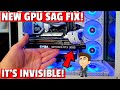
The New 30 & 40 Series Graphics Cards have become longer and heavier and the sag has been getting worse every year!