
This guide walks you through installing a Lutron Caseta smart switch for a one-way light switch, from wiring and mounting to connecting it to the Lutron app.
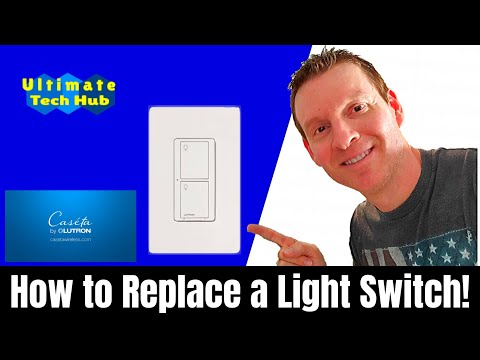
Here’s a step-by-step process for installing the Lutron Caseta smart switch for a one-way light switch.
Installing a Lutron Caseta smart switch is a straightforward process that brings smart control to your lighting. With its easy installation, app control, and compatibility with smart home ecosystems like Alexa, it’s a great addition to any home automation setup.
For a full step-by-step video guide, check out the video link below.
hi everyone this is michael from ultimate tech hub on this episode we will install a one weight light switch using the caseta smart switch from Lutron the tools needed for this install are a screwdriver or cordless drill wire cutters and wire strippers or scissors as always cut the power off at your breaker box before you begin the installation process let's get started and remember if you like this video give a thumbs up and share it if you love it his subscribe is free first let's remove the faceplate now let's remove the old switch just two screws easy next unscrew the ground wire is the gold looking wire take your wire cutters and cut the two remaining wires from the old switch here's the new switch and some wire caps start with connecting the green wire to the gold ground wire use a wire cap next strip back the two black wires about 1/2 an inch connect the black wire from the new switch to one of the black wires from the wallbox connect the red wire from the new switch to the other black wire from the wallbox no both of the load and hot wires are black in my wall box however your wires may be black in or red make the white neutral wire from the new switch to the neutral wires in the wall box my wall box has three neutral wires connected together with a red wire cap unscrew it now connect the neutral wire from the new switch to the other three neutral wires and screw the red cap back on all the wires take the blue wiring cap it with a yellow wire cap this wire has not needed carefully push the new switch back into the wallbox then turn the power back on and test that it works now screw the switch into the wall box and connect the faceplate that's it done if you want to set up your smart switch to be control with the Lutron app watch the next part of the video otherwise thank you for watching and make sure to hit the subscribe button it's free now let's test the power button on and off now let's connect the switch to Lutron app tap the wheel at the top left and select add device and select the product that we just installed which is the switch hold the bottom button down for 10 seconds the green light flashes when it's connected now choose the name of location ours is front porch hit next now it's like what type of light is being used ours is overhead light hit next select done adding devices now a front porch is listed in the Lutron app the light can be turned on or off using the Lutron app a schedule can be set up as well and Lutron app can be added to Alexa for voice control commands I want to thank you for being a part of the ultimate tech hub and if you haven't subscribed yet please do it's free and if you like this video give a thumbs up and share it thank you again for watching
On this episode of Ultimate Tech Hub we will install a screw-less face plate from Lutron. We will also show you where to buy them ...

On today\'s episode we discuss 3 things an Unmanaged Switch cannot do. Unmanaged switches are great but have limited ...
A hot cup of coffee is a Fantastic Way to Help Support our Channel!☕https://www.buymeacoffee.com/ultimatetechhub Or You Can ...

A hot cup of coffee is a Fantastic Way to Help Support our Channel!☕https://www.buymeacoffee.com/ultimatetechhub Or You Can ...

Welcome back to The Ultimate Tech Hub. On today\'s episode we are going to take a look at a 9 LED 80 Foot Light Kit from ...

We found what could be the Best 9 Foot Christmas Tree ever! Check out this review! Todays Best Holiday Deals!: ASUS ...