
The Mercury M1 Pro from Gravastar is a bold entry into the gaming mouse market, featuring a futuristic design, advanced sensor technology, and multi-mode connectivity. In this review, we’ll break down its key features, performance in games like Counter-Strike 2, and discuss the pros and cons to help you decide if it’s the right mouse for your setup.

When you purchase the Mercury M1 Pro, you’ll receive:
We tested the M1 Pro with Counter-Strike 2, utilizing both the 1K and 4K wireless sensors. The mouse delivered exceptional precision and responsiveness, thanks to its 26,000 DPI and adjustable liftoff distance (LOD). Here are the key performance highlights:
| Feature | Specification |
|---|---|
| Max DPI | 26,000 |
| Polling Rate | 4,000 Hz (0.25 ms response time) |
| Battery Life | Up to 200 hours (Bluetooth, lights off) |
| Click Lifespan | 50 million clicks (Amaron switches) |
The Mercury M1 Pro is a high-performance gaming mouse with futuristic aesthetics, responsive controls, and versatile connectivity options. While it has a few drawbacks, like limited OS support and a heavier build, it shines in terms of comfort, performance, and customizability. Whether you’re playing Counter-Strike 2, Fortnite, or any fast-paced game, the M1 Pro is up to the challenge.
For budget-conscious gamers, the gunmetal gray version is available at $99, while the Battleborn Silver Edition is priced at $130.
so this is the Mercury M1 Pro an 88 G magnesium alloy wireless gaming mouse from a company called gravastar and this is the battleborn silver edition but it also comes in gunmetal gray and just to heads up gravastar sent us this mouse for a full review with zero expectations of a positive review just an honest review of the new gaming mouse the Mercury M1 pro has a uniquely Innovative hauled out design the outer skeletal frame has a futuristic look which reveals the inner part of the mouse the RGB lighting has five different light modes and it's controlled via the gravastar software and FYI the gravastar software is only available for Windows OS so if you use Linux or Mac OS well you're out of luck and to be honest that's a little disappointing so gravastar if you're watching this video you need to add Linux and Mac OS to the software options but one thing to note about this Hol that design even though it looks crazy and futuristic it does serve a function because the hollowed out skeletal frame should allow for maximum air flow to keep your hand cool during long gaming sessions so it looks cool and keeps your hand cool the Mercury M1 Pro includes five programmable buttons the switches are from a Japanese company called amaron with a 50 million click lifespan the scroll wheel is from a company called kale with a 1 million rotation lifespan the mouse sensor is the PW 3395 DM which is a PR gaming sensor the resolution goes up to 26,000 DPI and 650 IPS Max speeds of 50g and a pulling rate of 4,000 HZ or 0.25 milliseconds so this mouse should be very responsive the M1 pro has a switch for three different modes Bluetooth wired and Wi-Fi and the M1 Pro even includes this cool Nest to store the wir 1K dongle for travel and it should keep you from losing it to take advantage of all these cool features you will need to download the gravastar software it's completely free and speaking of free make sure to hit subscribe and the bell notifications thanks so before we test the Mercury M1 Pro with Counter-Strike 2 what exactly comes in the Box well first you get the mouse the 1K wireless dongle the braided charging cord stickers pads cleaning cloth a detailed instruction manual and the 4K wireless sensor let's go and start with a quick sound test the M1 Pro isn't noisy when moving the mouse on the pad however the buttons are very clicky but that's kind of part for the course especially with gaming mice and to be honest I like the clicky sounds anyways the battery life for the M1 Pro will vary depending on which mode you use Bluetooth with lights off is 200 hours Wireless with the lights off is 146 hours and of course if you go wired it's unlimited with the RGB lights on it will drain the batteries pretty fast now let's get to the gaming test and we're going to test the M1 Pro with Counter Strike two so before we start the test let me show you my custom Mouse settings and I'm going to use the 4K sensor for this test and don't worry I'll show you a 1K sensor test as well so my d DPI settings are 1,600 and I have six different stages set and the max DPI is 26,000 our polling rate is at 4,000 HZ with high performance sensors you get a lot of options the first option is LOD liftoff distance which refers to the point when you lift your gaming mouse and the sensor stops transmitting a signal to your computer and we'll set it at 1 mm and we'll set our Peak Performance at 30 seconds and lastly our Ripple control and motion sync are both turned on this will allow our Mouse sensor to smooth out our movements so guys I wasn't sure what to expect when I was playing Counterstrike with the M1 Pro but I have to say it played very well there are a few things I don't like about this mouse but there are plenty of things I do love about it so after playing Counterstrike for about 5 or 6 hours let's go through the pros and cons of the M1 Pro the first thing I like about the M1 Pro it's very comfortable fits well in the palm of my hand they have a nice little contour for your finger a little flare out very nice one of the downsides to this mouse is that it's heavy totaling 88 G if you like a lighter Mouse consider the M2 Pro it comes in at 79 G but one of the best things about this mouse besides the comfort is the response hyper responsive with this hyper performance sensor in the middle of the mouse it's very balanced and responds well and with a pulling rate of 4,000 htz this mouse will play any game you throw at it counter- strike 2 fortnite Grand Theft Auto whatever you're playing but one of the biggest problems with this mouse is the software it's only available for Windows OS which leaves out Linux and Mac OS and I really hope the gravar hears me on this and develops the Mac OS and Linux software versions but the upside for the software if you have Windows is the software is very intuitive easy to use with lots of options and the pro sensor options are incredible from adjusting the LOD and ripple control it's pretty amazing and one of the great things about this mouse is the connectivity options you have Bluetooth Wi-Fi and wired if you want the lowest latency then go with the wired option but I found that the the braided core wasn't very comfortable with the wired option but for testing purposes I Ed the 4K sensor for the majority of the testing and with these RGB lights on it did drain the batteries pretty fast and one more thing I love about this mouse is the sliders very smooth with low noise and one more thing if this mouse is too expensive for you at $130 well the gunmetal gray version is $99 and to be honest I think I like the gunmetal version better it looks pretty sleek and clean but this version right here goes well with Call of Duty or Fallout 4 or Counterstrike so guys that's it it's a Mercury M1 Pro review it's a great little mouse it's 130 bucks it's a little bit heavy but it's very responsive low latency super smooth super comfortable looks really sleek and has lots of options and of course there'll be links in the description below to where you can buy this and once again I'm Mike and this is the ultimate Tech Hub so make sure to like share subscribe and comment and for God's sakes hit the Bell icon and I'll see you in the next video real soon high five peace

Hi everyone on this episode of Ultimate Reviews we will review 2 products from Ozark Trail. First is the Ozark Trail 10\' x 10\' Slant ...
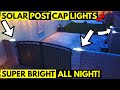
Welcome back to The Ultimate Tech Hub. On today\'s episode we are installing and reviewing the Tsunlighting Solar Post Cap ...

Welcome back to The Ultimate Tech Hub. On today\'s episode we are reviewing the MAONO Podcasting Microphone Kit. This Mic ...

This is the Viper V560 Gaming Mouse Review. In this video I Unbox and test the V560. At Ultimate Tech Hub we give honest and ...

Learn How to Install the Nvidia RTX 3080 XC3 Ultra. We will install & test the RTX 3080 playing Fallout 4 and Counter Strike!

Welcome back to The Ultimate Tech Hub. We finally found the perfect Solar Pathway Lights that look great, easy to install and are ...