
In this episode, we walk you through the unboxing, assembly, and installation of the Seville Classics airlift desk riser. Priced at $99, this budget-friendly sit-stand solution offers smooth height adjustment and a clean, minimal look. We also discuss its pros, cons, and whether it’s the right choice for your workspace.
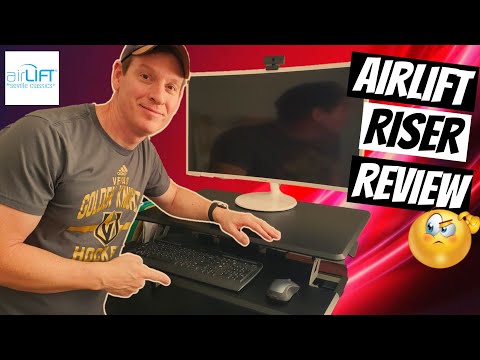
To install, clear your current desk space by removing your monitor, keyboard, mouse, and speakers. Ensure cables aren’t pinched behind the riser. Placement is quick and simple.
For those looking for a simple and functional desk riser without spending hundreds, this product delivers solid performance. While not ideal for dual setups, it’s a sleek and ergonomic addition to a minimalist workspace.
We recommend this desk riser for anyone seeking a quality sit-stand solution under $100. A purchase link is included in the video description.
Hi everybody and welcome back! In today’s episode, we’re going to unbox, assemble, and install the Seville Classics Airlift desk riser—and of course, we’ll give you our Ultimate Tech Hub review.
This desk riser retails for $99 and comes from Seville Classics. Inside the box, everything is well-packaged with styrofoam. Included are two metal brackets, screws, and a couple of zip ties.
Assembly is easy. Start by attaching the brackets using three screws each. Next, lift the riser and slide in the keyboard tray. Tighten both side knobs to secure it in place. Use the side handle to raise and lower the riser. It’s best to lower the desk before placing it on your existing desk for easy installation.
After clearing our workspace of the monitor, keyboard, mouse, and speakers, we placed the riser and checked that no cables were getting pinched. The setup was quick and smooth.
One note: the pictures on the box make the riser look larger than it is. It won’t fit both a standard monitor and laptop unless both are fairly small. Don’t expect a dual-monitor setup on this riser.
That said, the black finish looks great and minimalistic. The riser lifts smoothly with the side lever and adjusts easily to any height. The adjustment range is virtually unlimited, accommodating different user preferences whether you’re sitting or standing.
The build quality feels solid and durable, especially at this $99 price point. While higher-end risers exist, they often cost $200–$300. For under $100, this is a great budget-friendly option.
Overall, we definitely recommend this desk riser. The only downside is its small size, but if you’re using a single monitor, it works very well. A link to purchase is in the video description.
Don’t forget to visit our Patreon page where just $2/month helps keep our channel running. We shout out new members in upcoming videos!
If you liked this video, give it a thumbs up and share it. If you loved it, hit that subscribe button—it’s free and helps keep this channel alive. Thanks again for watching!

We found the Cheapest Outdoor 4K TV in 2024. Is this Outdoor TV Really Water-Proof? Watch until the end to find out! This is an ...

If you are looking for a beginner drone that wont break the bank the Z3 will be your best choice. This is the Cheapest Beginner ...

Welcome to the Mortal Kombat 11 Review. This review is the PC Standard Edition which retails for $59. There are 25 Characters ...

Welcome back to The Ultimate Tech Hub. On today\'s 200th Episode Celebration, we tested the Rock Space Whole Home Mesh ...

This is the LINKRUNNER AT3000 from NetAlly! The AT3000 Tests Copper, Fiber and PoE connections. If your Network is down or ...

On episode 1 of Home Automation we will take a look at an affordable robotic vacuum from iRobot the Roomba 690. We will ...