
If you need to wire and crimp your own Ethernet cable, this guide walks you through every step, from cutting the cable to crimping the RJ45 connectors. Whether you're wiring Cat5e, Cat6, or Cat7 cables, the method shown here will work for all three.
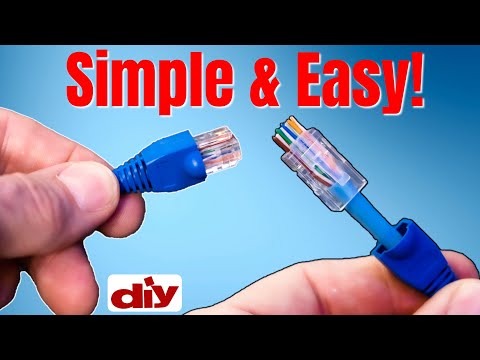
Cut your Ethernet cable to the desired length, adding about 4 extra inches (2 inches on each side) for wiring and crimping.
Use the stripping tool on the crimper to remove the outer sheath. A few gentle twists should expose the internal wires.
The T568B wiring order is the most common for Ethernet cables:
After crimping, inspect the connector to confirm the wires are properly seated in the correct order. Use a cable tester to verify the connection if available.
| Item | Estimated Cost |
|---|---|
| Cat6 Riser Cable (500ft) | $95 |
| RJ45 Connectors (100-pack) | $20 |
| Crimping Tool | $29 |
| Wire Boots (100-pack) | $8 |
Wire boots are optional but recommended. They:
Once both ends are crimped, you can test the cable by plugging it between a computer and a router or switch. For more precise testing, use a network cable tester to check for continuity and proper wire order.
Wiring and crimping your own Ethernet cables is a valuable skill that can save money and allow custom-length cables tailored to your home or office setup. Following the T568B wiring standard ensures compatibility with most networks.
Whether you're using Cat5e, Cat6, or Cat7, the steps remain the same. With the right tools and a little practice, anyone can confidently wire Ethernet cables at home.
what's up guys welcome back to the channel i'm mike this is the ultimate tech hub thank you for joining us i really appreciate it so guys today's video is about how to wire any ethernet cable we get lots of questions from viewers and subscribers on how to wire ethernet cables correctly they also know the easiest way to do this and which tools do you need so today we'll go through all the supplies you need as well as the tools and i'll give you the pricing as we go along the way and trust me wiring an ethernet cable is pretty easy and i'll take you through every step of the process to make this as easy as possible so first let's go to the supplies you're gonna need to wire the ethernet cable and obviously you're gonna need ethernet cable and this is cat6 riser cable and i'm not gonna wire cat5e today because i don't have any if you follow my channel you know that our house is all cat six but the technique i'm going to show you today works for cat 5e cat 6 and cat 7. so like i said you need a cable we're going to do cat6 you also need rj45 connectors make sure they're cat 6 as well these are the easy kind i'll talk about that later an optional is a wire boot and this boot will protect the rj45 connector from damage i recommend these but it's optional and that's it for supplies now what tools do you need well really all you're going to need is a crimping tool that's it because this gripping tool also has a blade for doing like cutting and stripping of wires so that's it guys these are all the supplies and tools you'll need to wire anything that cable like i said before we'll go through every step of the process and i'll give you the pricing for everything as we go along the way we're going to take it nice and slow and get it done right so let's get started oh yeah don't forget hit subscribe that's what the cool kids are doing okay the first thing you want to do is cut your ethernet cable to length and make sure to add about four inches this gives two inches for each side to make the rj45 connection so use the stripping tool on your crimper to remove the sheath just a few twists is all you need this crimping tool is an easy crimper also known as a pass-through crimping tool and this tool was 29 there are cheaper brands the buyer beware they may not last next unravel all four pairs of wires now you want to go ahead and cut off the white pull string and then unravel all eight pairs of wires this cat6 riser cable is 23 gauge this cable is from a company called south wire and 500 feet of this cable is around 95 dollars which is not bad this cat6 riser cable does not have a plastic inner core so this cable is pretty easy to work with okay after you unravel all the wires take all eight wires and straighten them out flat the better of a job you do straightening these wires and making them flat the easier it is to put inside the rj45 connector and if you're gonna use a wire boot go ahead and put it on now and a 100 pack of these wire boots is eight dollars all right now i'm going to cut the wire straight across i found this makes it easier to organize the wires into the t568b configuration when the wires are too long they can get kind of tangled up so once you've cut the wires go ahead and organize the wires and here's the wiring diagram you have white orange orange white green blue white blue green white brown brown once you have these all organized make sure the wires are straight and flat again and then insert them into the rj45 connector like this and you can get a hundred of these rj45 connectors the cat6 for about 20 bucks push the wires all the way up as far as possible that blue sheath needs to go up all the way inside the rj45 connector as far as it will go now insert the rj45 connector into the rj45 connector on your crimping tool and make sure it's pushed in all the way as far as it'll go then squeeze down until you hear a snap and you can do it one or two more times just to make sure it's a good connection now pull it out the tool and take a close examination to make sure it looks good you can even take a close-up picture with your phone to make sure the wires are in the correct order and the everything looks good now slide the boot on and you're done and now do the exact same thing to the other side of the cable and now you've got a cat6 patch cable and now you can plug it in and test it you can test it using a network device like a pc or a switch or if you have a network cable tester use that so that's it guys that's how you wire an ethernet cable with an rj45 plug it works for cat6 cat5e and cat7 and guys if you have any questions leave them in the comments below i answer all questions once again guys thank you so much for watching you guys are awesome and if you like this video and you found it helpful make sure to like it and share it well guys we're all done here and i'll see you next video real soon peace

This is the LINKRUNNER AT3000 from NetAlly! The AT3000 Tests Copper, Fiber and PoE connections. If your Network is down or ...

This video shows you how to wire Ethernet Plugs The EASY way! Cat5e and Cat6 RJ45 Pass Through Connectors. We will show ...

There are 3 Categories of Home Networks. The Basic Home Network, the Intermediate Home Network and the Advanced Home ...
STOP Buying CAT7 Ethernet! In this video I will test 5 different Cat 7 Ethernet Cables to see which ones are actually Cat7!

If you want to install Cat6a in your Home Network, then you need to learn these 2 installations first! Cat6a Cable Termination ...

Welcome back to The Ultimate Tech Hub. On today\'s episode we will show you how to wire ethernet ports through the attic safely.